In this guide 8 sections
When a GTIN changes for the same product code, treat it as a signal that something about the trade item changed, not as a typo to overwrite. Under the GS1 GTIN Management Standard, a new GTIN is required when, for example, the declared net content, the primary brand, a dimension or gross weight by more than 20%, or the number of items in a case changes; the manufacturer may also change it for its own reasons. So keep both codes, find which packaging level the new GTIN identifies, ask the manufacturer for the cause, and only then update stock records, labels and open orders.
This method applies to two FAB-DIS 3.0 editions of the same manufacturer’s catalogue. It does not establish that products from different suppliers are interchangeable, and it does not certify a technical substitution.
Why a GTIN changes for the same product
The GS1 GTIN Management Standard asks three questions about any change to an existing product: should a consumer or trading partner be able to tell the new version from the old one, is there a regulatory or liability disclosure requirement, and is there a substantial impact on how the product is shipped, stored or received? At least one must apply for a GTIN change to be required. The standard then turns these principles into named rules, and each rule says which packaging levels receive a new GTIN.
| What changed (GS1 rule) | Base unit GTIN | Case and pallet GTINs |
|---|---|---|
| Declared net content on the pack, such as a count of 12 instead of 14 (2.3) | New | New |
| A physical dimension on any axis, or gross weight, by more than 20% (2.4) | New | New |
| Primary brand on the item (2.6) | New | New |
| Formulation or functionality, when it affects the legally required declared information and buyers are expected to tell the difference (2.2) | New | New |
| Number of items in a case, or cases in a predefined pallet (2.8) | Unchanged | New |
Two points matter when you receive a supplier catalogue. First, these rules are a minimum: section 1.4 states that brand owners may change a GTIN as often as they consider appropriate, so a new code does not always mean a physical change. Second, a pack or case quantity change produces a new case GTIN while the unit inside keeps its own, which is why the packaging level is the first thing to establish. A new GTIN can also come from neither rule: a corrected data entry in the catalogue itself.
Rule out a reading or check-digit problem first
Before investigating a business change, make sure the difference is real. A GTIN read as a number can lose its leading zeros or appear in scientific notation, and the “change” then exists only in your spreadsheet. Apply the rules for keeping leading zeros when you normalise product codes, compare the raw values from both editions as text, and never create a new product record to fix a conversion error.
Then verify the GTIN-13 check digit of both codes. A failed check points to a typing or export error to report to the manufacturer. A passed check only proves the number is well formed: it does not tell you which trade item the code identifies, or whether the manufacturer actually assigned it.
Unit GTIN or case GTIN: find the packaging level
Each level of a packaging hierarchy has its own GTIN: the base unit, an inner pack, the case, sometimes a pallet. For every changed code, write down which level it belongs to in each edition. The old value may describe a piece while the new one describes a case; a shared manufacturer product code does not make those two trade items interchangeable.
Look at the fields that sit next to the GTIN in both editions:
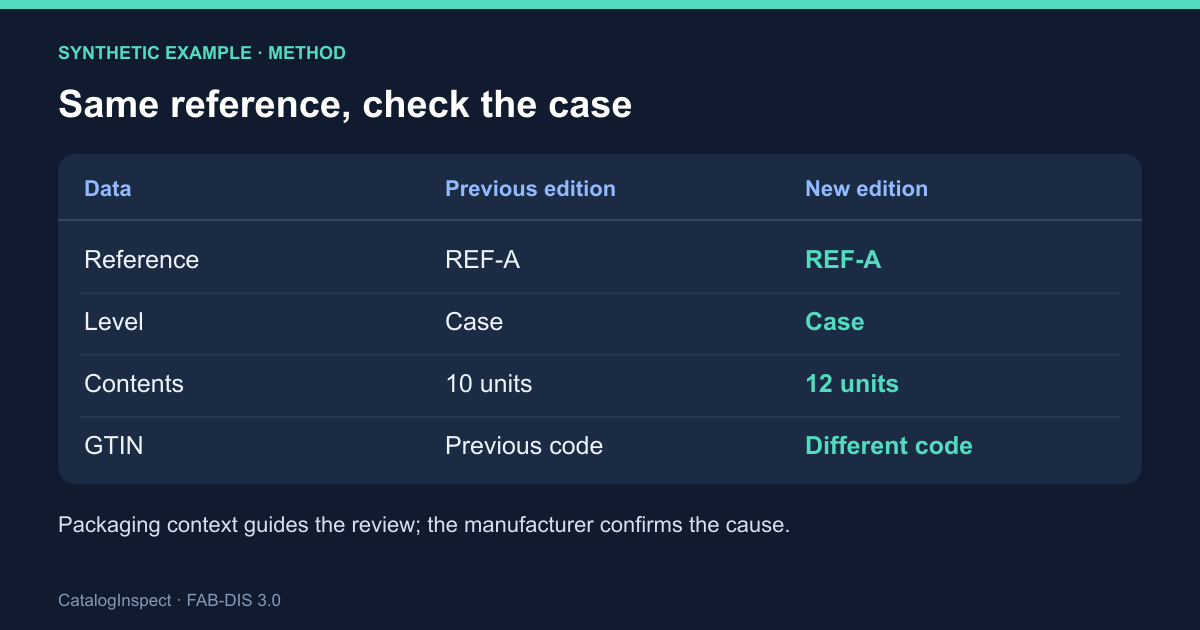
- Contained quantity: a case that holds 12 units instead of 10 points to rule 2.8 and a new case GTIN only.
- Dimensions and gross weight: compare them at the same level and calculate the change on each axis; more than 20% points to rule 2.4.
- Declared contents and description: a different count, volume or weight printed on the pack points to rule 2.3.
- Brand and product name: a different primary brand points to rule 2.6.
If none of these fields changed, the likeliest explanations are a data correction or a brand owner’s decision. Only the manufacturer can confirm which.
Worked example: a case that goes from 10 to 12 units
All values below are fictitious and the GTINs are placeholders, not real codes.
| Field | Previous edition | New edition |
|---|---|---|
| Product code | REF-A | REF-A |
| Unit GTIN | GTIN-U1 | GTIN-U1 |
| Case GTIN | GTIN-C10 | GTIN-C12 |
| Units per case | 10 | 12 |
| Price per case | €45.00 | €52.80 |
| Price per unit | €4.50 | €4.40 |
The unit GTIN is unchanged and only the case GTIN differs, which matches a pack quantity change. The case price rises by 17.3% ((52.80 − 45.00) / 45.00), yet the unit price falls by 2.2%: compare prices at the same unit before you read this as a supplier price increase.
Now the stock and orders. You hold 3 old cases (30 units) and receive 5 new cases (60 units). If the manufacturer confirms identical base units, your available quantity is 90 units, but the two case codes must remain distinct in the stock record, because they are counted, labelled and received differently. An open order for 4 cases placed under GTIN-C10 expected 40 units; if the supplier ships it as 4 new cases, you receive 48. Agree with the manufacturer whether the order is delivered in old cases, converted to 48 units, or adjusted to a quantity that fits the new case.
Correction, packaging change or product change?
Classify each changed GTIN before you act, because the three outcomes lead to different work.
| Confirmed cause | What it affects | What to do |
|---|---|---|
| Data correction | Where the wrong code was used | Fix the code, trace labels, orders and listings that carried the wrong value |
| Packaging change | Ordering, receiving and logistics | Add the new case or pallet GTIN, keep the old one for existing stock |
| Product change | Technical suitability for the application | Review the technical evidence before allowing any automatic substitution |
A packaging change can leave the physical component unchanged while changing the trade item that purchasing orders. A technical change can keep a familiar description while making automatic substitution inappropriate. If the manufacturer confirms an equivalent successor, keep the scope of that confirmation: equivalence for one application or one packaging level is not a general statement.
When the product code changes as well, you are dealing with a replacement. In FAB-DIS 3.0, the conditional blocks guide places a substituted reference in the ARRET block and the reference that replaces it in COMMERCE. Follow those links with the method for reviewing product supersession chains.
Protect stock, labels and open orders before updating
Before replacing a GTIN in your ERP, review current labels, stock records and orders already placed. Rewriting historical identity to match the newest catalogue removes traceability: stock already received keeps the identity it arrived with. Check how your system handles two codes for one product, whether it supports dated mappings, and what happens to scanning at goods receipt when the old case code disappears.
Where several previous codes lead to one new code, keep each documented relationship. The reverse lookup can be ambiguous, so do not assume a mapping works safely in both directions. Add these points to your acceptance checks for an ERP catalogue import so that the changed codes are verified after loading, not only before.
Record the decision for each changed GTIN
Close each case with an explicit outcome: confirmed data correction, confirmed packaging change, technical review required, or unresolved. Attach the evidence, the owner, the effective date and the scope. For REF-A, a scoped record could read: “New 12-unit case GTIN-C12 confirmed for deliveries from the next order; GTIN-C10 kept for existing stock; treatment of the open 4-case order still to be agreed with the manufacturer.” A generic “approved” flag hides the distinction the next team needs.
The catalogue difference report places changed identifiers alongside the other differences between two editions, so the review starts from the full list rather than from codes found by chance at goods receipt.
Frequently asked questions
Can a manufacturer change the GTIN of an unchanged product?
Yes. The GS1 GTIN Management Standard sets the minimum cases where a new GTIN is required, and brand owners may change a GTIN more often if they consider it appropriate. Ask the manufacturer for the reason before updating your records.
Does a new case GTIN mean the product itself changed?
Not necessarily. When only the number of items in a case changes, GS1 requires a new GTIN for the case while the unit inside keeps its own GTIN. Compare the unit GTIN and the contained quantity in both editions.
Does a small change in size or weight require a new GTIN?
The GS1 rule applies to a change of more than 20% in a physical dimension on any axis or in gross weight. Smaller changes should still be notified to trading partners, and repeated small changes made to avoid the rule are not acceptable practice.
Should I overwrite the old GTIN in my ERP?
Not before you have checked stock, labels and open orders. Keep the old code for stock already received, add the new one with its effective date, and record the relationship between the two.
Does a valid check digit prove the new GTIN is correct?
No. A valid check digit only shows that the number is well formed. It does not show which trade item the code identifies or that the manufacturer assigned it, so the manufacturer’s confirmation is still needed.
Official sources & scope
This guide describes a working method. The examples are fictional; the official documentation remains the reference for the format rules. CatalogInspect is an independent service.